Quantiva Trades, configured by you.
- Activate Quantiva Trades access in TradingView
- Configure parameters in your own chart
- Create your own TradingView alert
- Set position size per trade (USDT)
Get Quantiva Trades access in TradingView, configure the strategy yourself, and optionally connect alerts to your personal webhook.
Quantiva connects the TradingView strategy with your personal webhook, mode validation, and private workspace when you decide to enable execution.
The alert starts in your TradingView. Quantiva webhook validates payload and mode; if the mode does not match your profile, it is rejected before exchange execution.
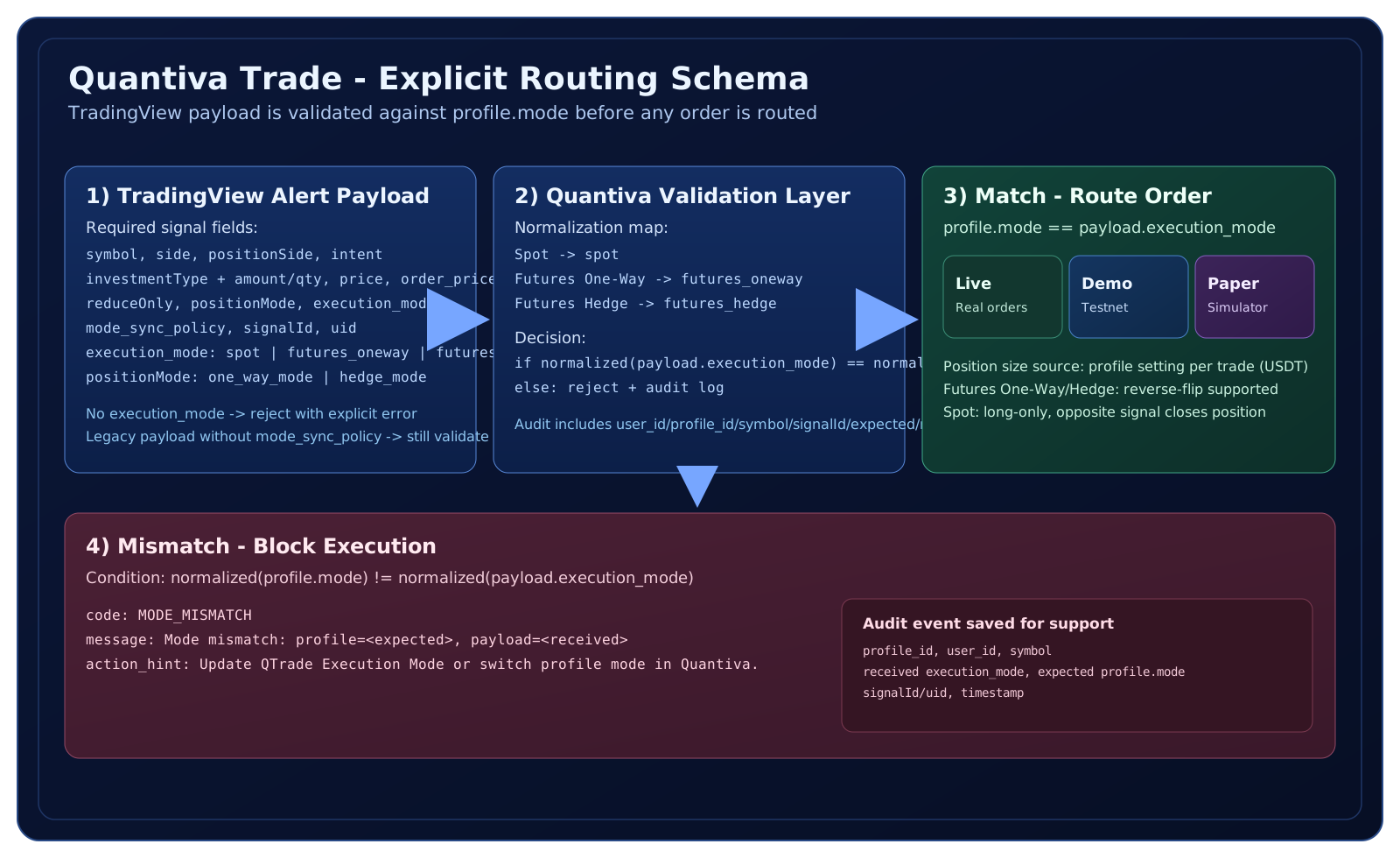
Minimum fields required by Quantiva webhook before any optional execution.
{
  "symbol": "BTCUSDT",
  "side": "buy",
  "positionSide": "LONG",
  "intent": "open_long",
  "investmentType": "notional_value",
  "amount": "1000",
  "price": "market",
  "order_price": "74255.20",
  "reduceOnly": false,
  "positionMode": "hedge_mode",
  "execution_mode": "futures_hedge",
  "mode_sync_policy": "required_profile_match",
  "signalId": "0",
  "uid": "UID"
}Validation is always enforced for safety, including legacy signals with no mode_sync_policy.
When profile mode and payload mode differ, execution is blocked and audited.
{
  "status": "rejected",
  "code": "MODE_MISMATCH",
  "message": "Mode mismatch: profile=futures_oneway, payload=futures_hedge",
  "action_hint": "Update QTrade Execution Mode or switch profile mode in Quantiva."
}